Hired to Polish. Rebuilt the system.
A solo designer, a fintech product built on one expert's mental model, and twelve months embedded in every role that uses it.
ROLE
Solo Designer → de-facto PM
TIMELINE
18 months
TEAM
1 designer (me)
SCOPE
Product Design, UX Research
Moneytor is a debt-recovery platform for Indian lenders — NBFCs and microfinance institutions. Six roles use it daily: telecallers, field agents, telecaller managers, agency partners, portfolio analysts, and heads of collections.
The founder knew this industry deeply. He worked alongside all six roles and understood the business cold — and he had built the product to match that understanding. The result was a coherent, fully-built platform that reflected one expert's mental model of collections. It demoed well. It just hadn't been shaped around the six different people who actually used it.
He hired me as a UI designer, on a simple premise: the product worked, it only needed to look better. Within weeks it was clear the problem wasn't surface-level, and the engagement changed shape. Twelve months later I had taken over what-to-build and how — effectively the product manager — and shipped ten modules end-to-end as the only designer.
Scope, stated plainly: the production product shipped in 2021–2022 with the in-house engineering team. The live link is a 2026 frontend rebuild that makes the original design walkable end-to-end — screens, navigation, and interactions intact; backend and data layer not connected.
Every role had a workaround, not a workflow.
The interface wasn't ugly, and it wasn't built in ignorance of the users — the founder knew them well. The problem was that all six jobs had been compressed into one product shaped around a single expert's view of how collections worked. One screen tried to serve six roles, so every role got the average of all six — and ran their day around the product rather than through it.
Telecaller
Couldn't see what to call next
No queue without the manager's morning hand-off.
Field Agent
Couldn't log on the move
Calls and settlements waited until home.
Telecaller Manager
Allocated by hand each shift
No way to simulate a rule before activating it.
Agency Partner
Flew blind on their team
Performance numbers arrived after the fact.
Portfolio Analyst
Lived in spreadsheets
The product had the data; the usable view lived in Excel.
Compliance Head
No defensible trail
Sensitive actions left no reliable audit record.
The clearest measure of the distance between the product and the people using it: a new hire needed roughly two weeks of training before they could operate it unassisted.
The product had an author. It didn't have its users in it.
The founder understood the domain and the six roles better than anyone — but that understanding lived in one head, and the product was its single-author expression. There was no PM translating each role's day into the interface, no design layer between the founder's vision and what showed up on screen. His read of the gap was that a UI designer would polish the product into adoption. The real gap was structural: a single mental model can't serve six workflows at once, and no amount of visual refinement reaches that layer.
Closing it meant replacing one expert's model with a researched, multi-role one — which first meant making the case that this was a structural problem, not a pixel-pushing one, before there was a mandate to fix it properly.
Ten modules. One mental model.
Each was rebuilt in the order the user runs their day. These are the decisions that carried it.
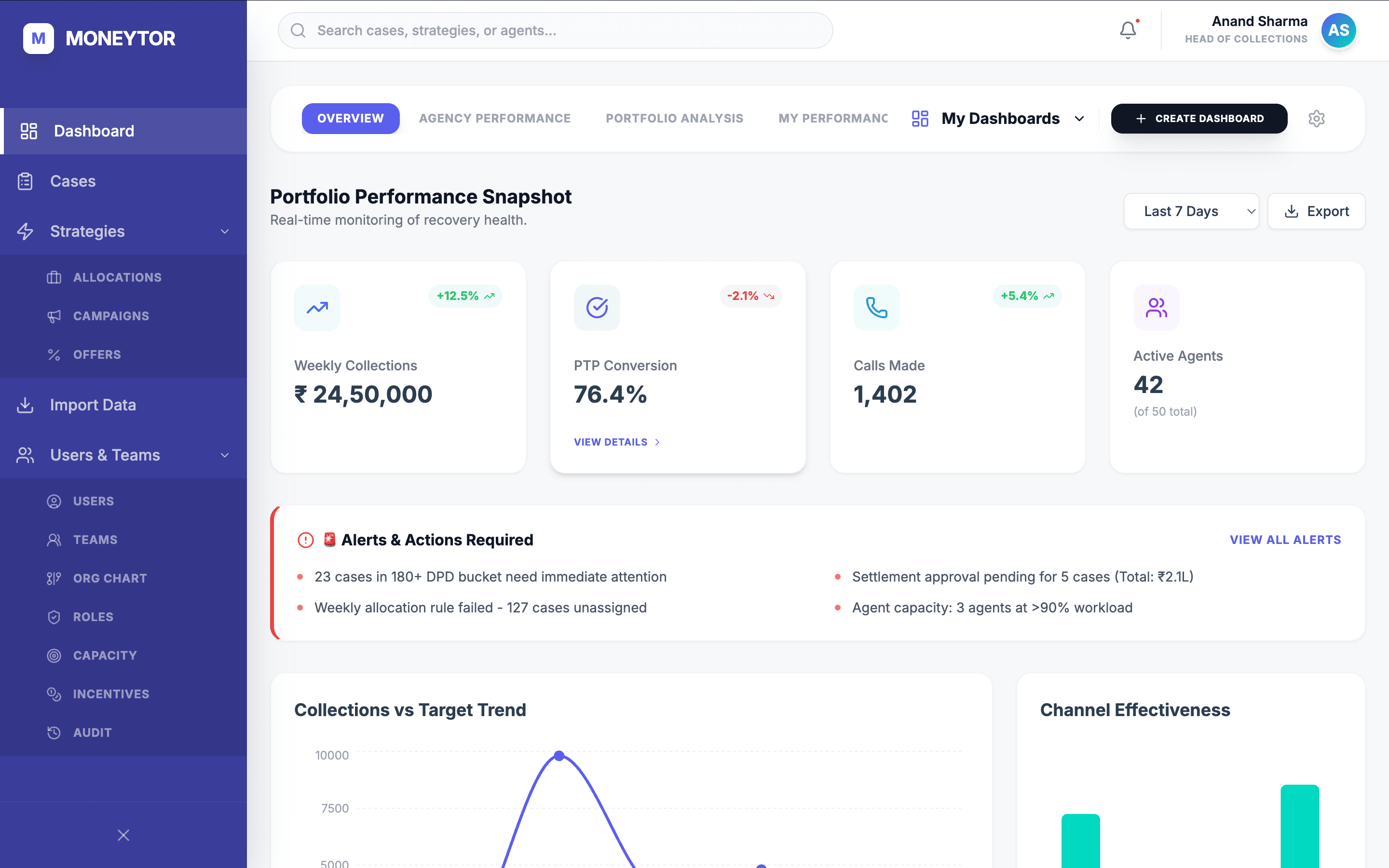
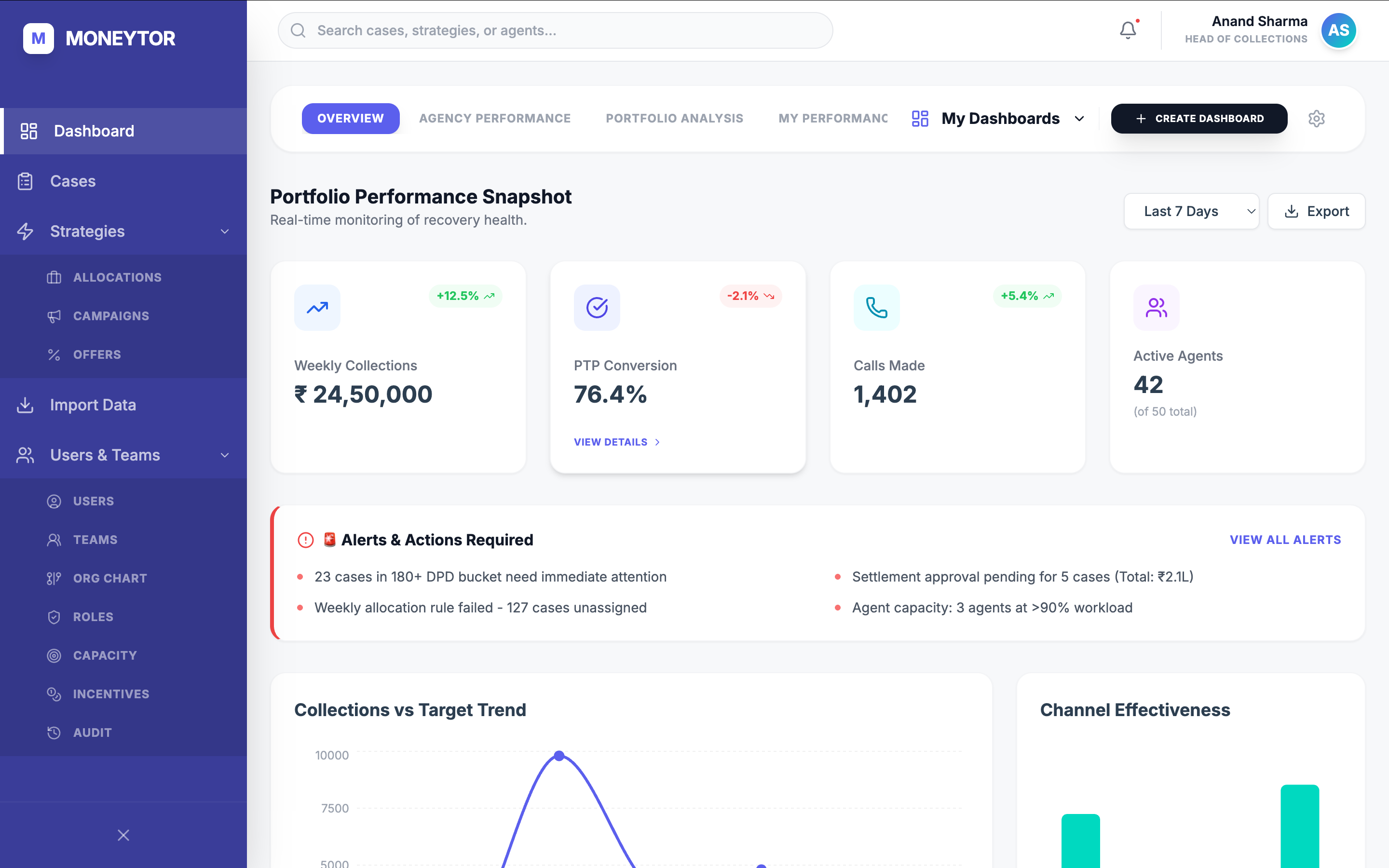
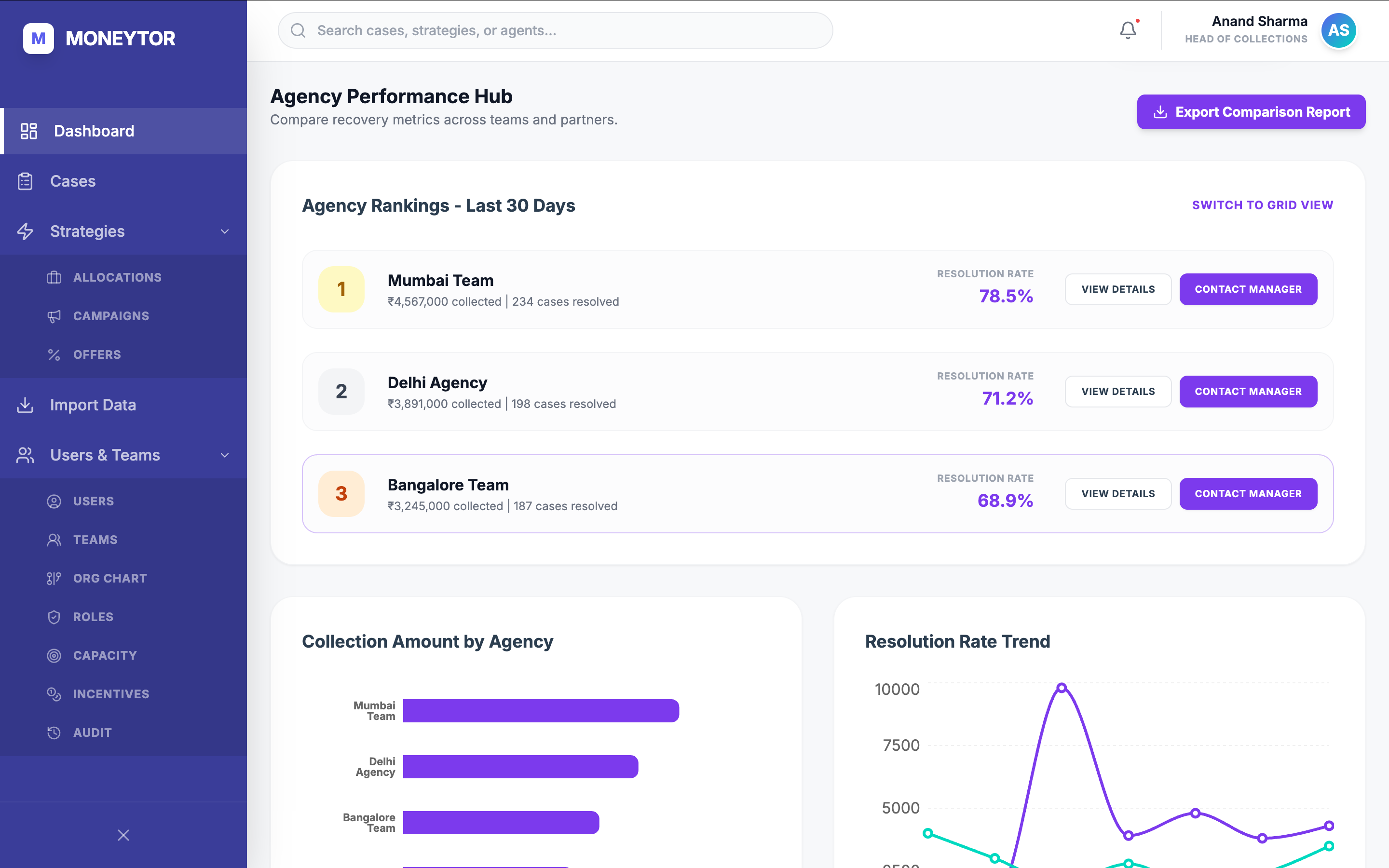
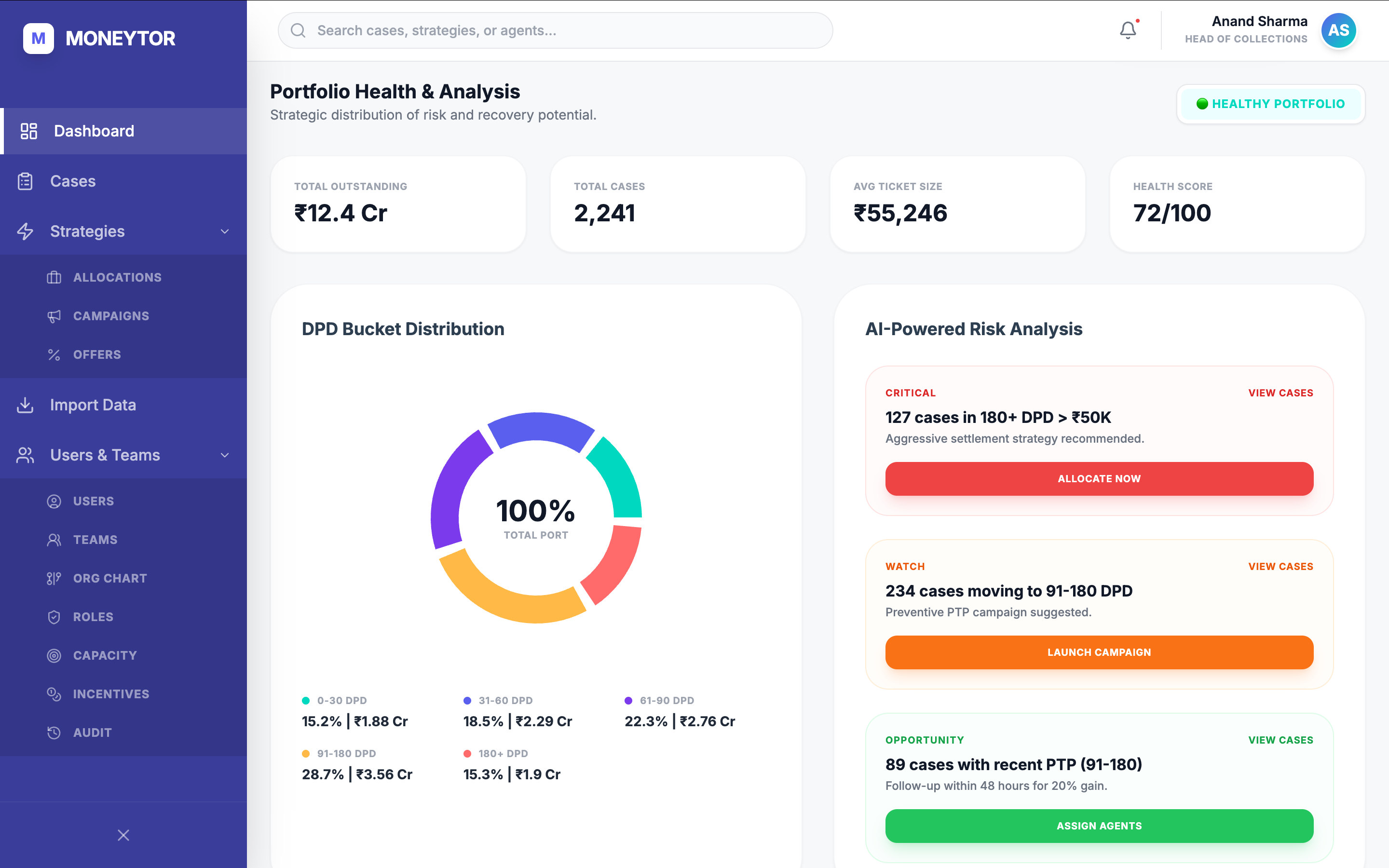
Role-aware dashboards, not one master view.
A manager and an agent don't need the same first viewport. Dashboards split by job — recovery health for managers, the live queue for agents, portfolio risk for analysts, agency performance for partners — plus a builder so a manager could compose a fifth view without filing a ticket.
The case file, built for the agent on the call.
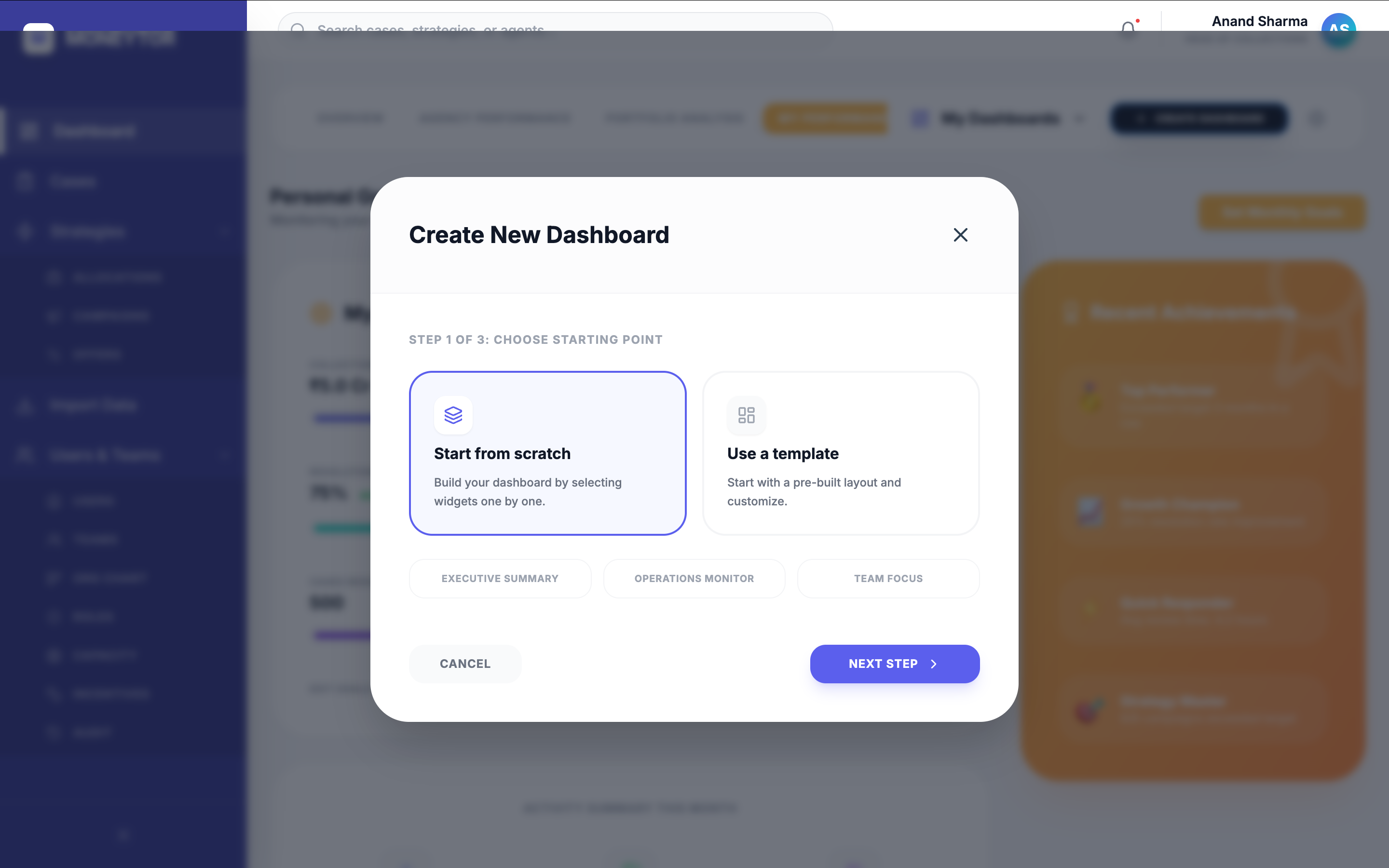
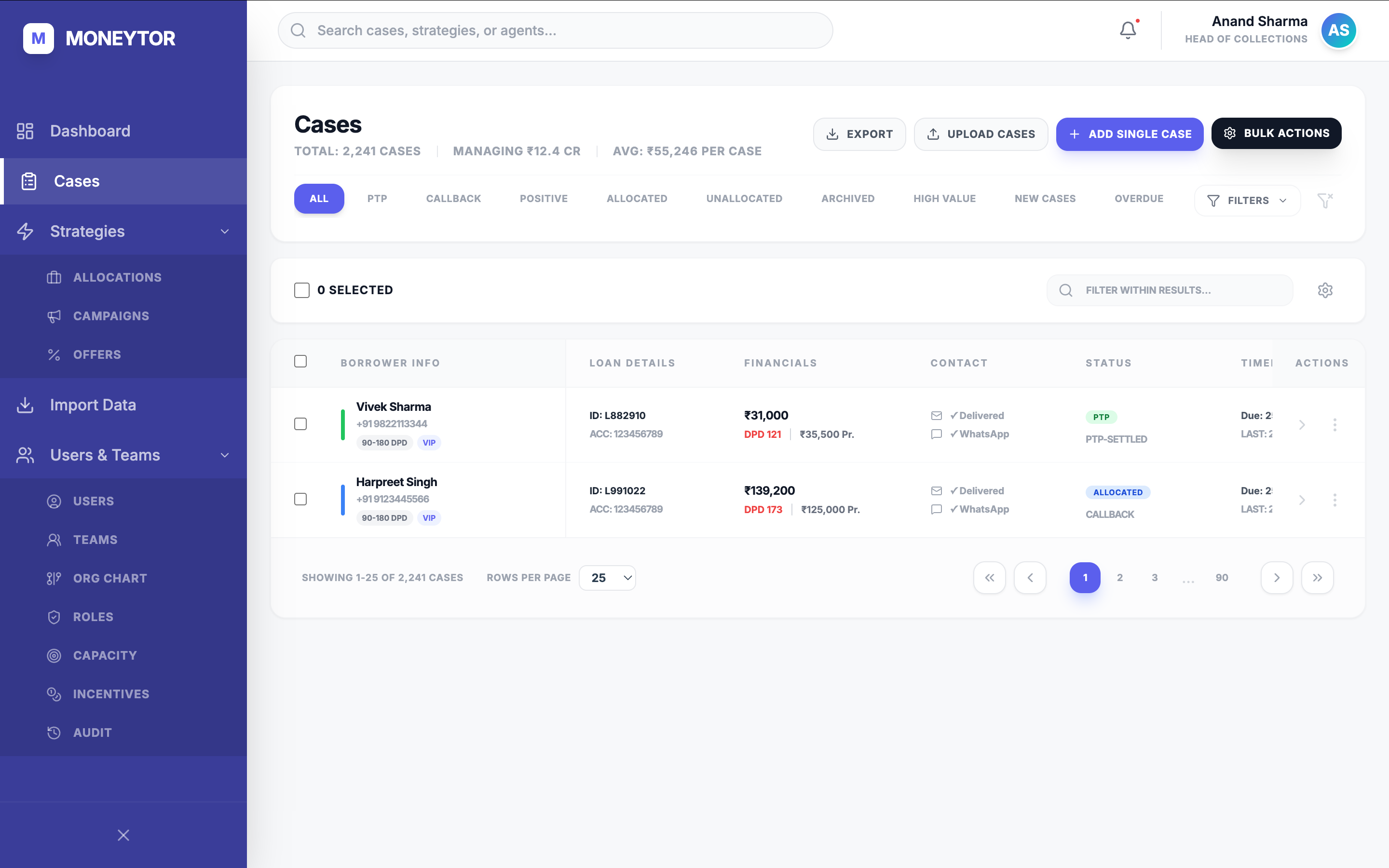
The list surfaces every detail an agent needs at the row — name, DPD, loan amount, last contact — so the queue is workable without opening anything. Inside the case, an AI strategy panel reads the file and recommends a tactic — soft pull, hard pull, settlement, callback — with its reasoning shown, so a junior agent can defend the call. It recommends; the agent decides.
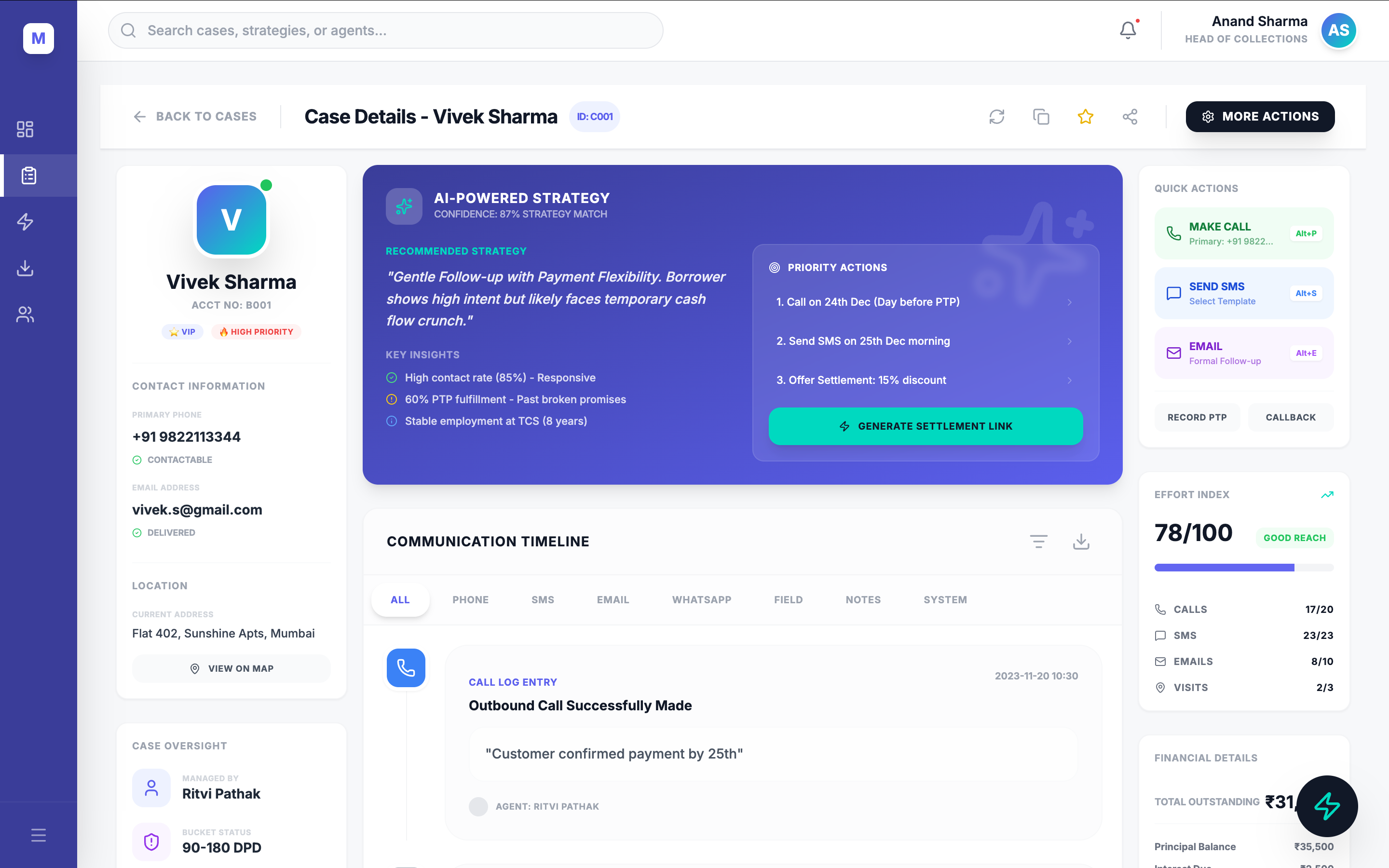
A keyboard-first command center sits on top of it. The original product made an agent click through nested menus to log a callback or a promise-to-pay; the command center is the shortcut layer for everything they repeat all day — two keystrokes, then back to the call.
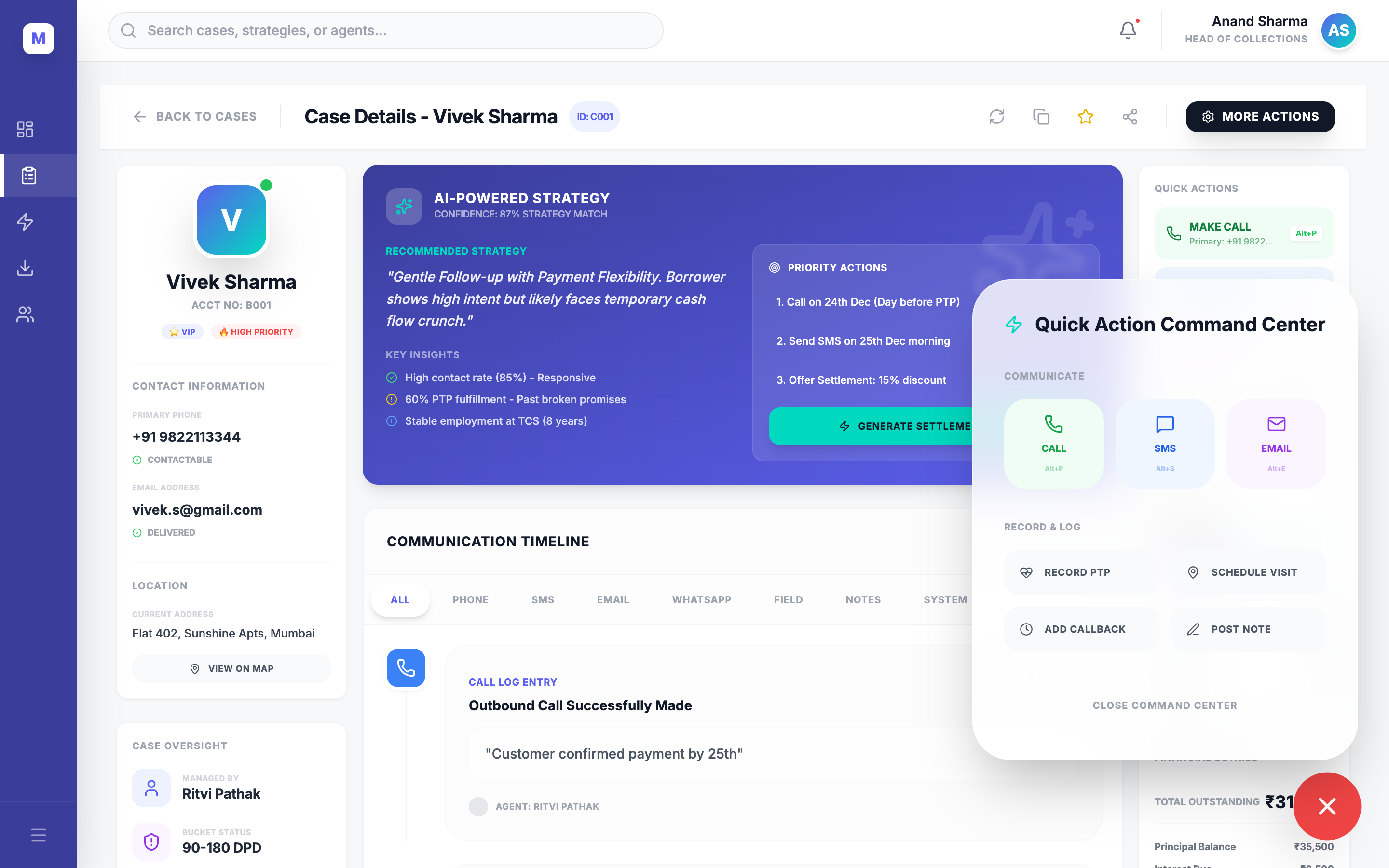
Self-serve wizards — the engineering bottleneck, eliminated.
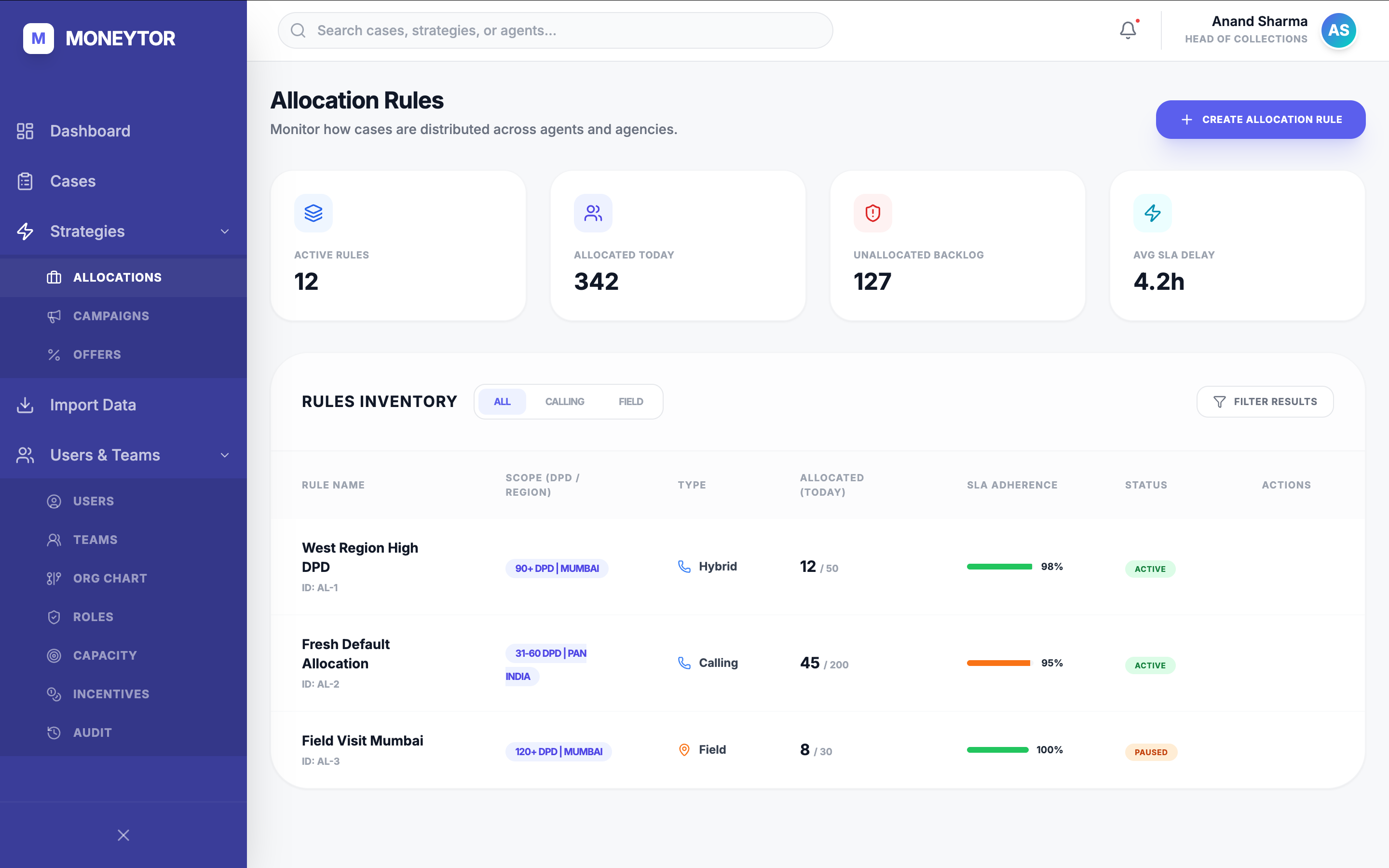
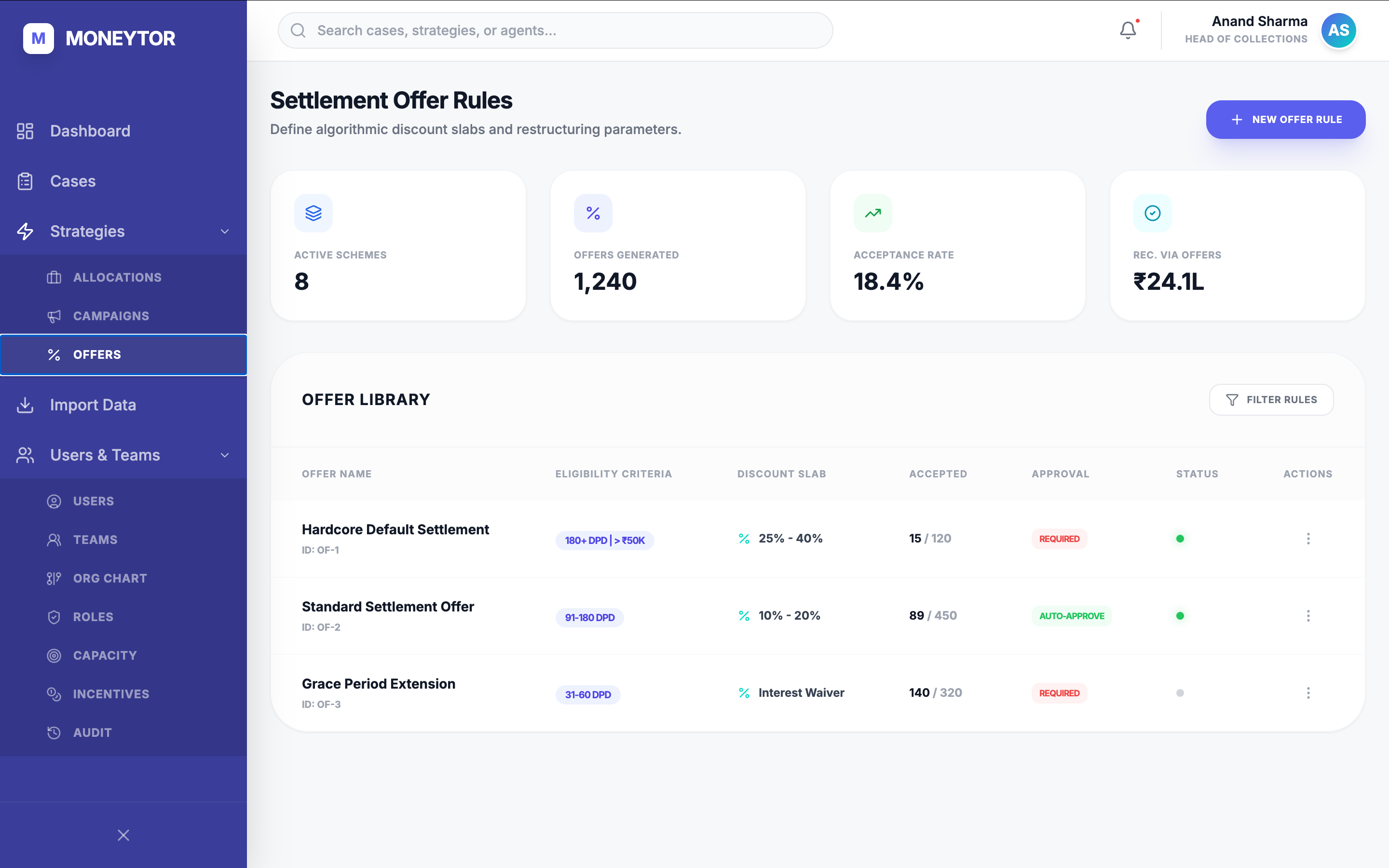
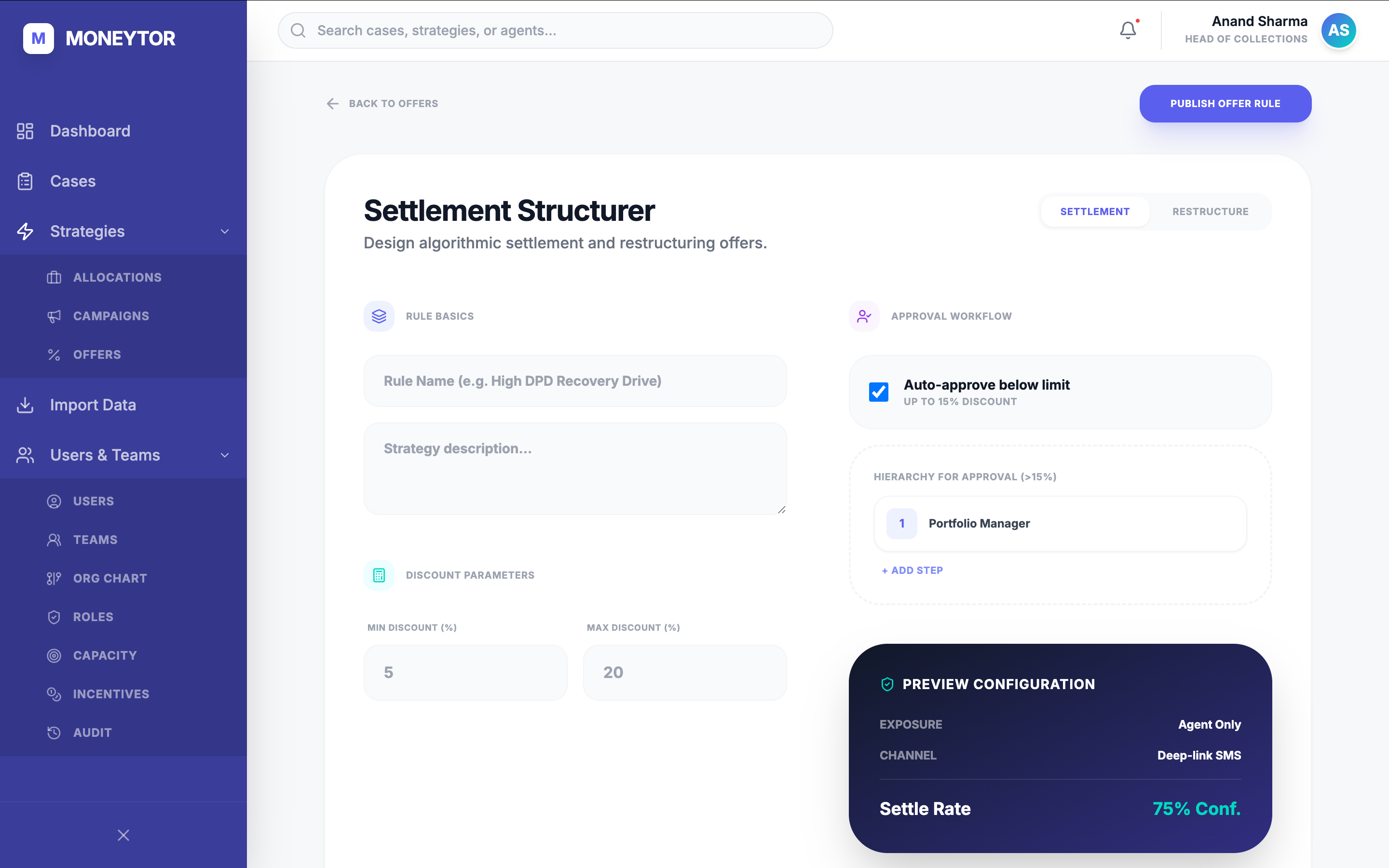
Every workflow that used to need an engineering ticket became a wizard: choose, configure, simulate, publish. Allocation rules, outreach campaigns, and settlement structures could be dry-run and shipped by the operators who needed them — no backend release, no waiting. The same four-step skeleton, designed once and applied across all three.
People, teams, and the trust model — in one structure.
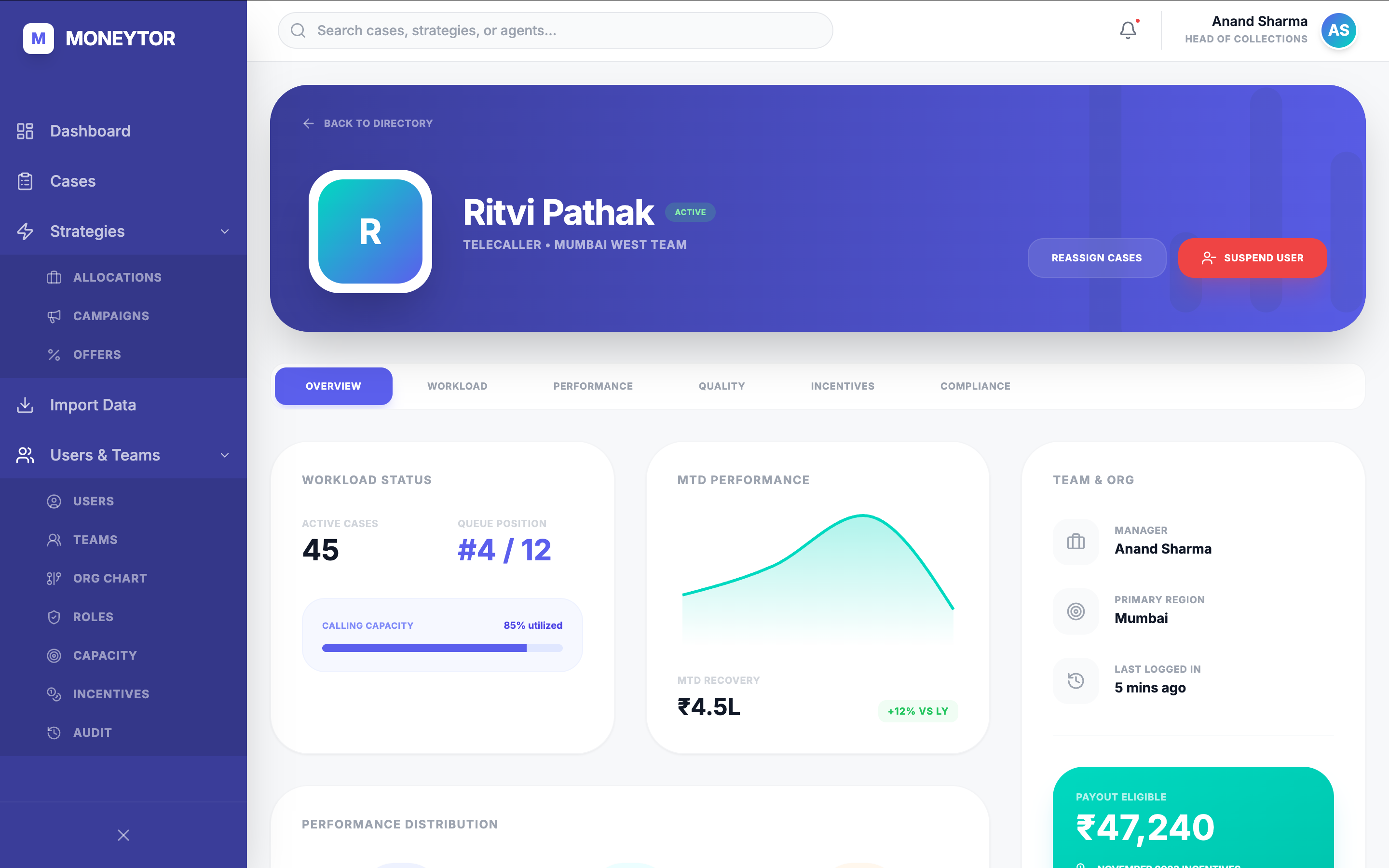
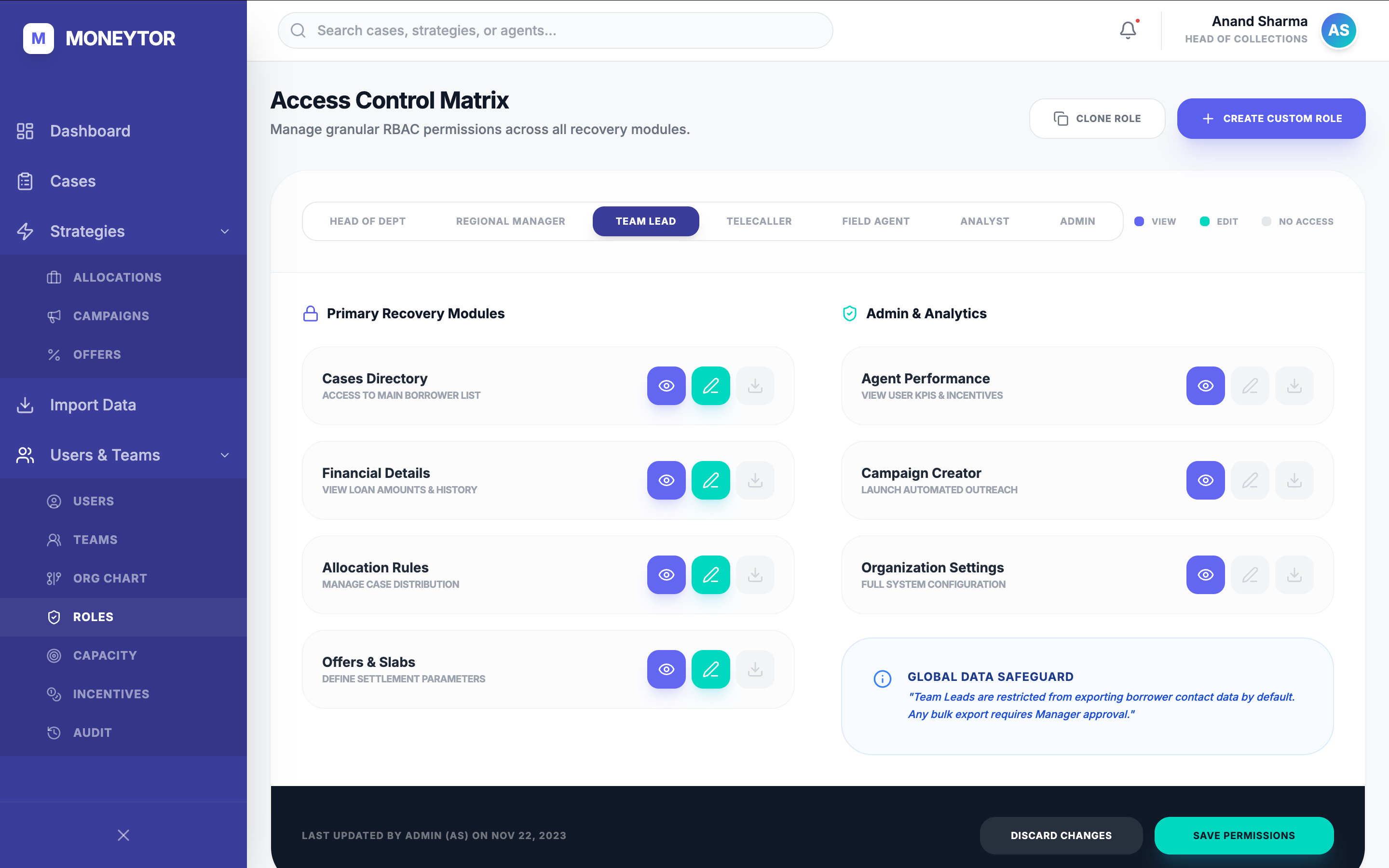
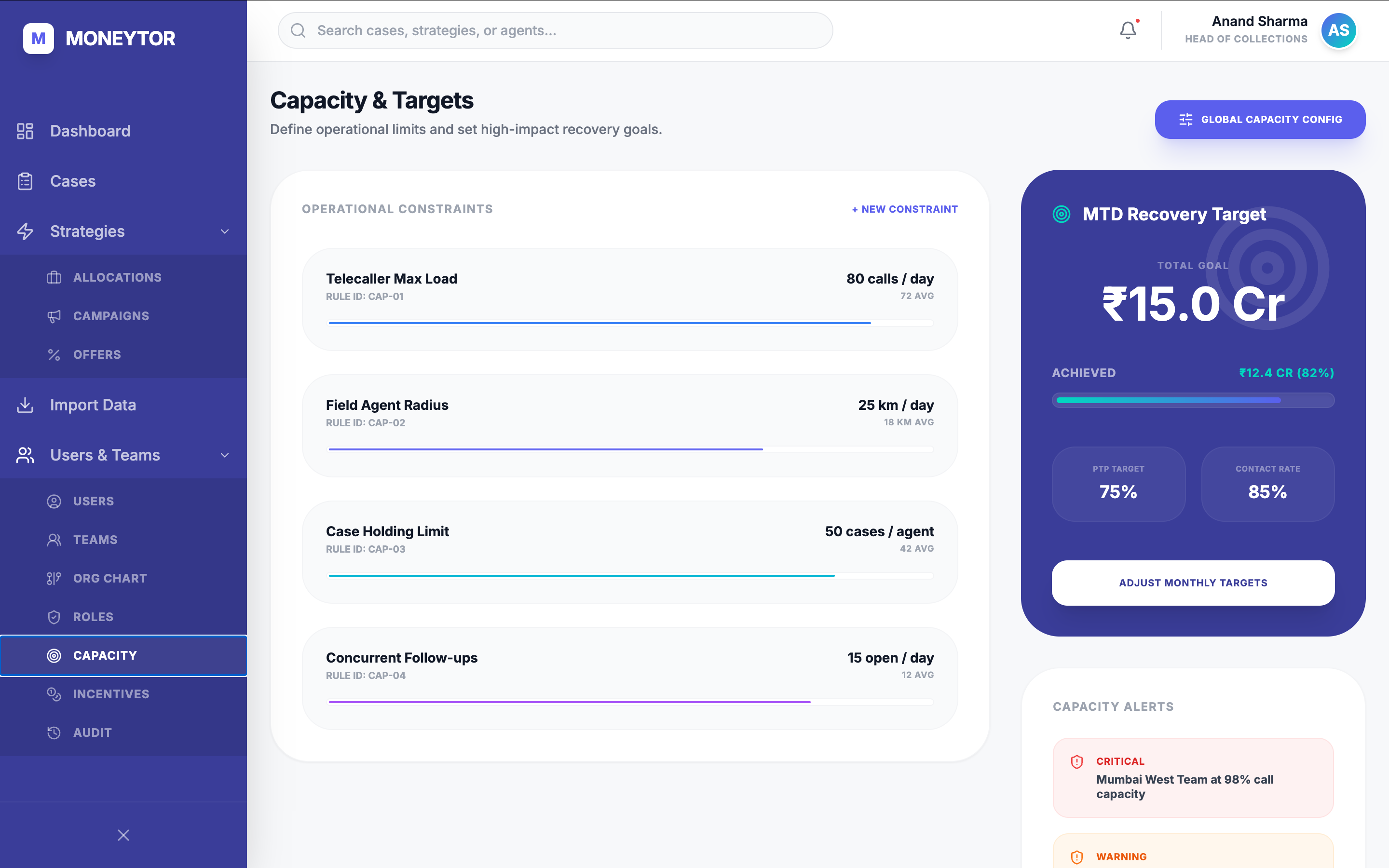
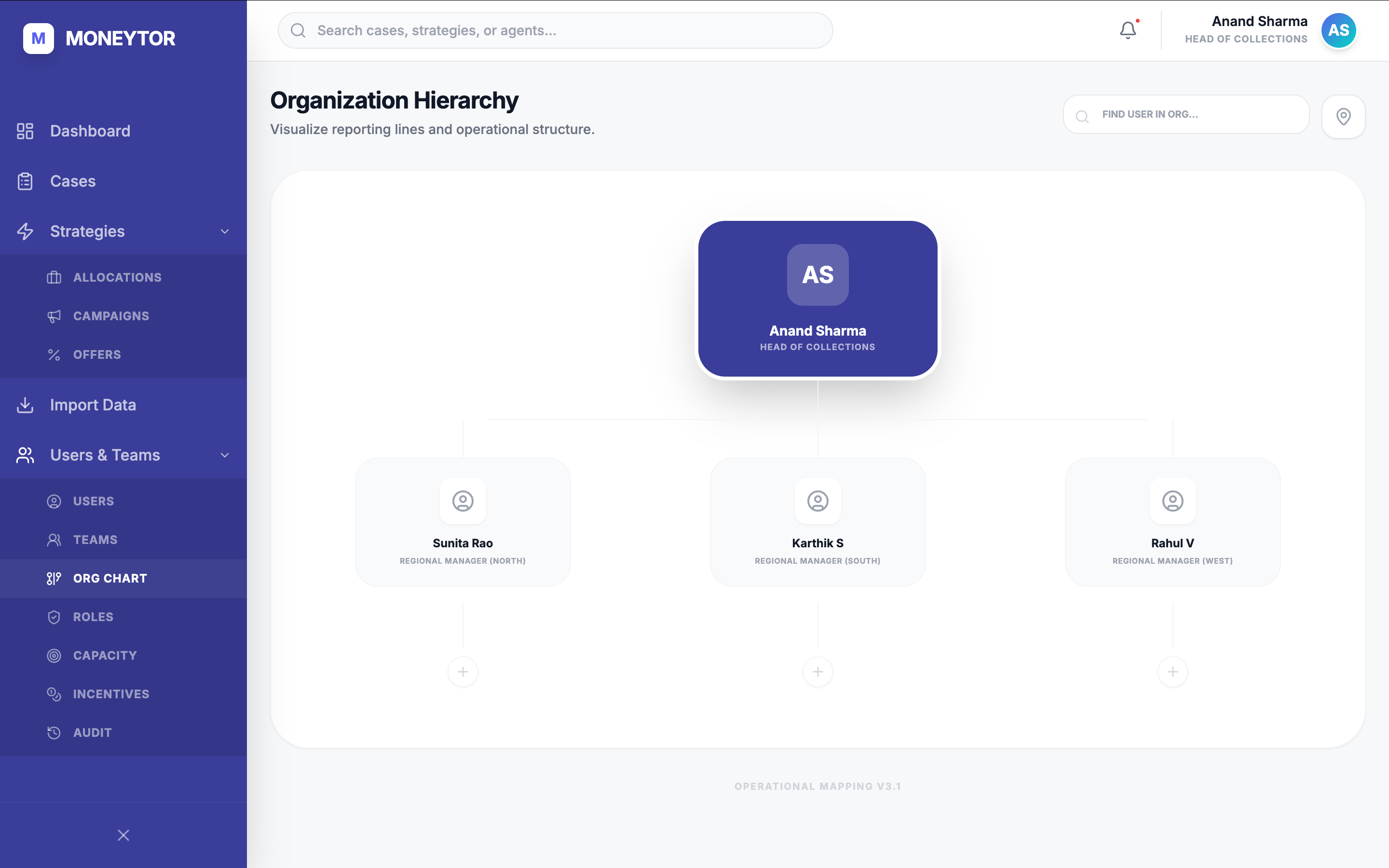
Users, teams, org chart, capacity, and incentives in one mental model — workload, performance, and payout eligibility on a single profile. The access control matrix carries the trust model of the whole organisation: per-role view, edit, and no-access across every module, with safeguards as defaults. Telecallers never see bulk export; field agents get location, not settlement authority. Compliance as a primitive, not a layer bolted on later.
Self-serve ingestion, and an audit trail that holds up.
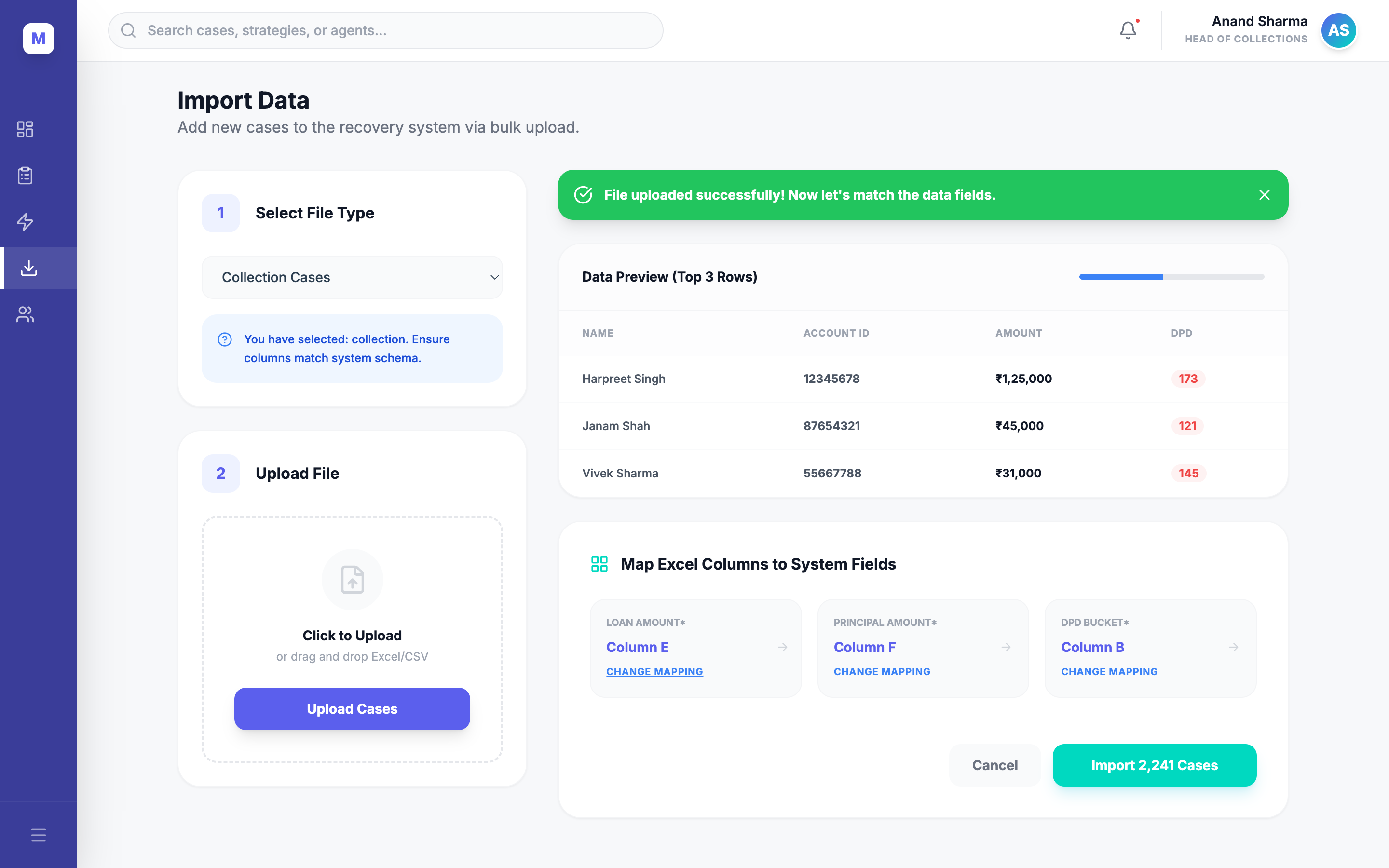
Clients used to email Excel dumps for the backend team to ingest by hand — days of delay, mapping errors. Self-serve field mapping with a top-three-row preview moved this to the operations manager and made the wrong-column import impossible. And every action, export, and permission edit lands in a real-time audit stream with a downloadable compliance pack — the audit log as a product surface, not an admin afterthought.
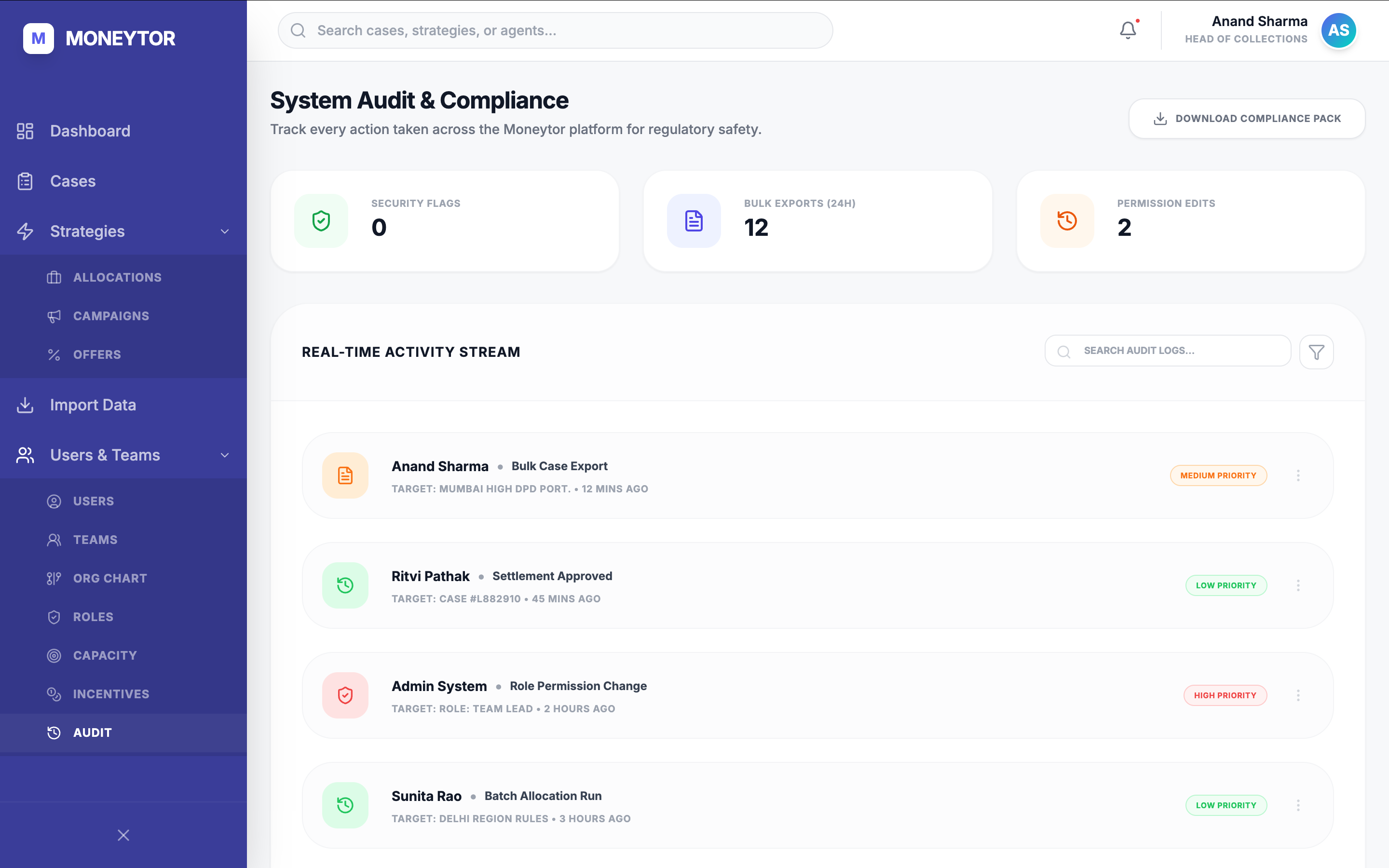
Range, in one line
Dashboards · Cases · Quick Actions · Allocations · Campaigns · Offers · Users · Teams · Org Chart · Access Control · Capacity · Incentives · Import · Audit. Same wizard skeleton, same row-level information design, same compliance floor — one mental model, learned once.
Research, spec, QA, standups.
The founder knew the users; what didn't exist was each role's day translated into the interface. So before opening a design tool I spent months in all six roles — riding along on calls, sitting with managers at allocation, watching the compliance head hunt for a record. Then I wrote the specs, designed the flows, set the QA criteria, and ran the standups.
The roles, in order:
Telecaller
Made 40–60 calls a day
Observed a week, then took the headset. The call-rhythm problem was lived, not reported.
Field Agent
Rode along on the road
Watched the product fail on a cheap Android over 3G.
Manager
Sat through allocation
Watched performance rebuilt by hand in Excel every morning.
Support · Jira
Read every ticket
Grouped them into allocation confusion, navigation loss, settlement gaps.
Sales
Sat in on demos
The repeated ask for self-serve config became the Strategies roadmap.
Marketing
Ran outreach and the site
Surfaced the gap between what the product did and how it was sold.
The decisions, and where each came from:
Decision
What it came from
Embedded across six roles before opening a design tool.
A single expert model can't be validated from inside one head.
Role-aware dashboards instead of one master view.
User context determines hierarchy.
AI panel as a recommendation, not a decision.
The agent still owns the call; the panel makes it defensible.
Allocation as a wizard with simulation before activation.
Managers wouldn't activate rules they couldn't preview.
Global data safeguards as defaults, not toggles.
Compliance is the floor everyone stands on.
Audit log as a product surface, not an afterthought.
If it isn't auditable on day one, it isn't defensible at the day-one-thousand audit.
Took over what-to-build and how.
The founder owned the vision; someone had to own the product downstream of it.
Production · 2021–2022
With the in-house engineering team
Specs, flows, QA criteria, and standups across all ten modules.
Prototype rebuild · 2026
The whole frontend, end-to-end
Screens and interactions intact as a working prototype. The live link is that artifact.
Six roles, ten modules, twelve months. Solo.
Sales
Demos the team was proud to run
Pre-redesign demos needed engineering to pre-configure the environment; after, the team demoed self-sufficiently and prospects could picture themselves using it.
Support
Recurring complaints dropped
The three ticket categories that had dominated support — allocation confusion, navigation loss, settlement gaps — reduced after launch.
Training
Onboarding shortened
A product that needed ~2 weeks of training became learnable through role-aware views and guided wizards, without a manual.
Three things I'd hand the next solo designer walking into a founder-built platform:
01
A coherent product can still be the wrong one
When it's built on one expert's model, the job is to validate it against the people who use it — not to assume the founder's knowledge is already in the interface.
02
Make the structural case first
Polish gets approved easily because it looks safe. The harder, more valuable mandate has to be argued for.
03
When the founder owns the vision, own the product
Someone has to translate domain knowledge into each role's workflow. That's the role, whether or not it has the title.
The product wasn't broken because of design. It was built on one person's deep understanding of the industry — and never checked against the six different people who lived in it every day.